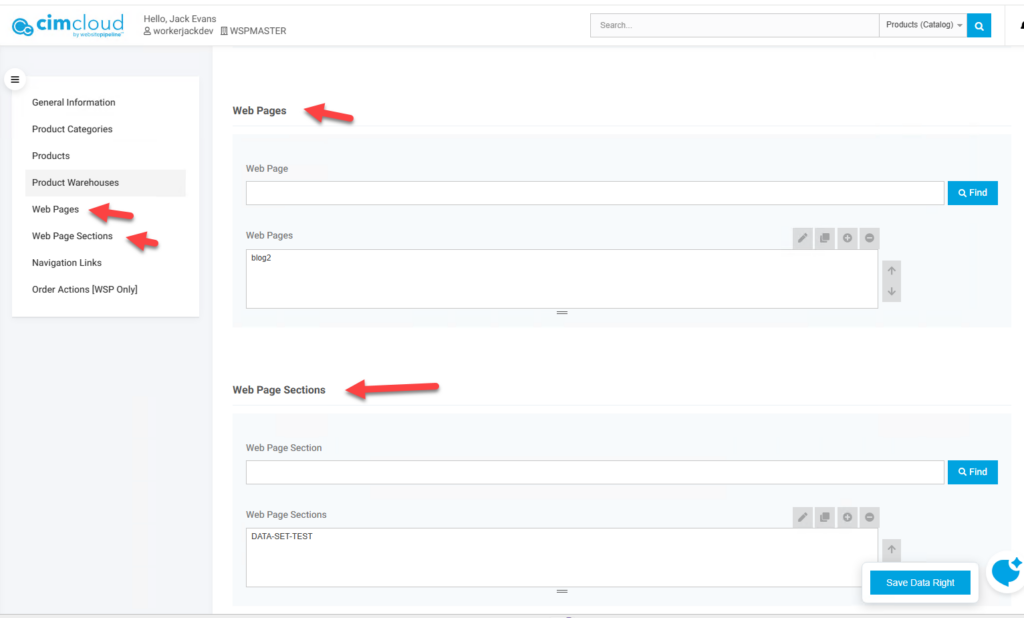
Overview
As of release 4.16.4 (a patch release of Release 2026.06) the ability to data set web pages (Creating Content Pages )and/or page sections (Creating Content Page Sections) was added to the product. This allows pages and page sections to be visible to only specific users. These are applied like other data sets/rights as explained in – Data Rights This feature is part of the Advanced Data Filtering (Data Sets) bundle.
If a web page or page section is not in and data set/right then it should show to all users.
As with other data rights if data sets are added or removed from a user those changes will only be seen when the users gets a new session or their session is refreshed.
Set-up
Turning on Feature
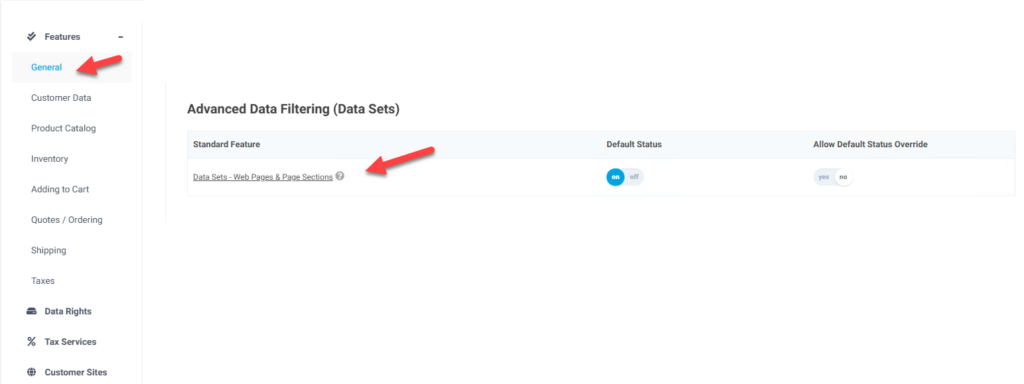
To enable this ability the feature Data Sets – Web Pages & Page Sections needs to be enabled. This is available in the General tab and the Advanced Data Filtering (Data Sets) bundle section
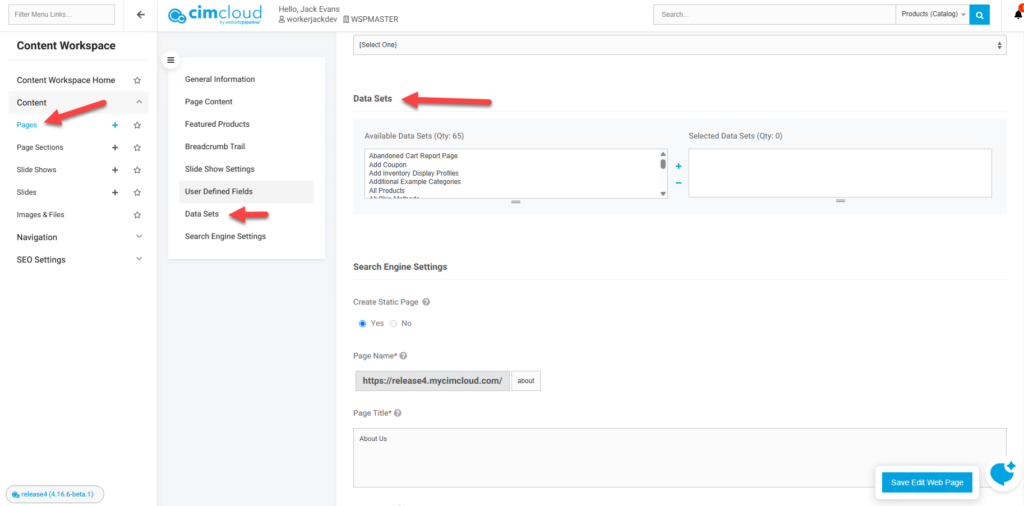
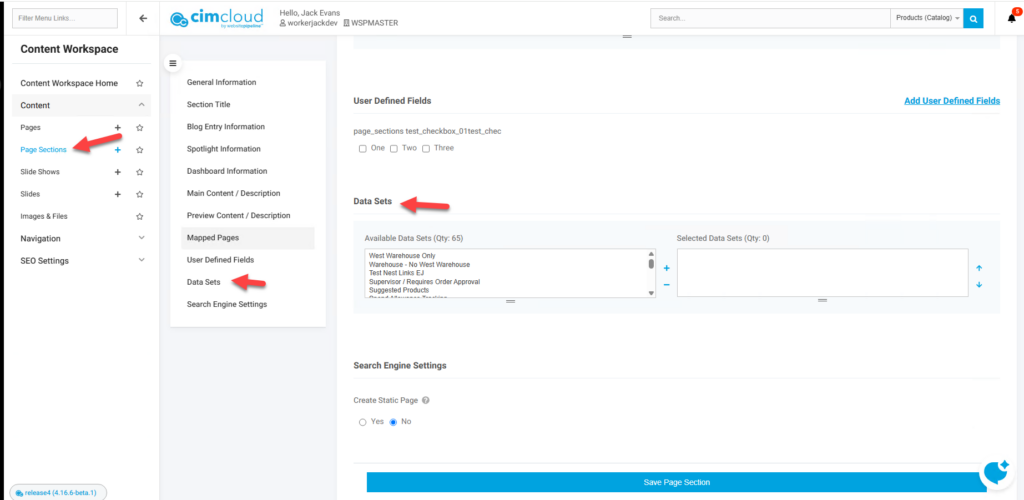
After this is enabled fields on the web page, page sections, and data rights edit pages should be available to apply data rights/sets to pages or page sections or web pages and page sections to data rights.
Web Pages Edit
Page Sections Edit
Data Rights Edit