
Overview
The Product SKU Aliases by Account and Integration with ERP feature allows product information to be displayed with override values by account. This data can be mapped from the ERP on request from standard ERP set-up (for example Alias Items in Sage100 or Product Cross References in Acumatica). This feature is part of the Advanced Platform and Product List Features bundle So customers who may be used to seeing their own part number versus the ERP SKU can see and search by their part number. For this feature and if the additional feature in the same bundle for Name (nm) and Description (ds) is enabled users can see account (ERP customer) specific values for SKU, Name, and Description.
NOTE: Upon request a simple customization can be done to make aliases apply at the customer site or account group level. This would be global and how all alias records would be applied. The account group option would enable a field on the account to put it in a specific customer group that all aliases tied to that group would apply to. These options are available to make aliases easier to manage if they apply to everyone on a specific site or across a large number of accounts.
What a Customer Site User Sees
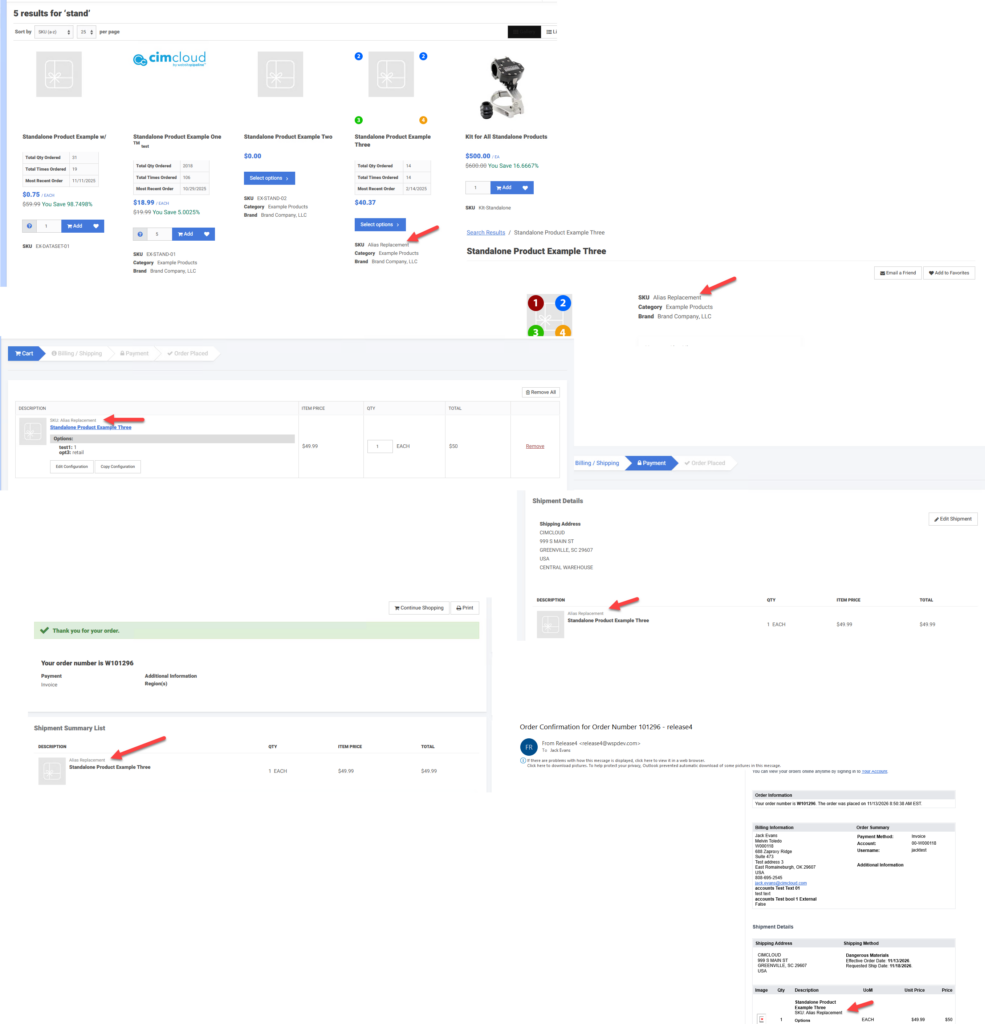
A customer who has an alias applied will see the alias throughout the website and checkout process. IN the example shown the account logged in as has an alias value of Alias Replacement for the SKU.
What a CRM Worker Sees
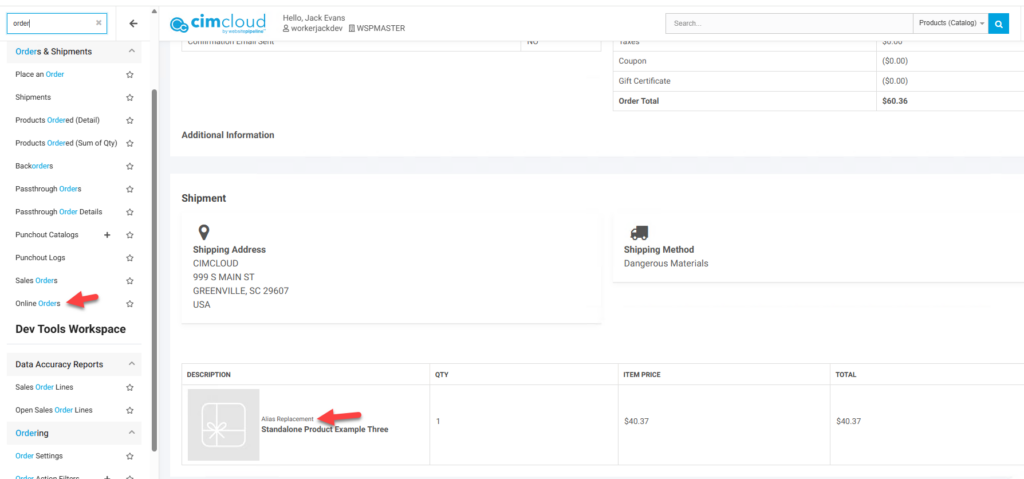
If a CRM worker reviews an online order in the worker portal they will see the item alias value in place of the normal SKU
What and Admin Worker Sees (Set-up)
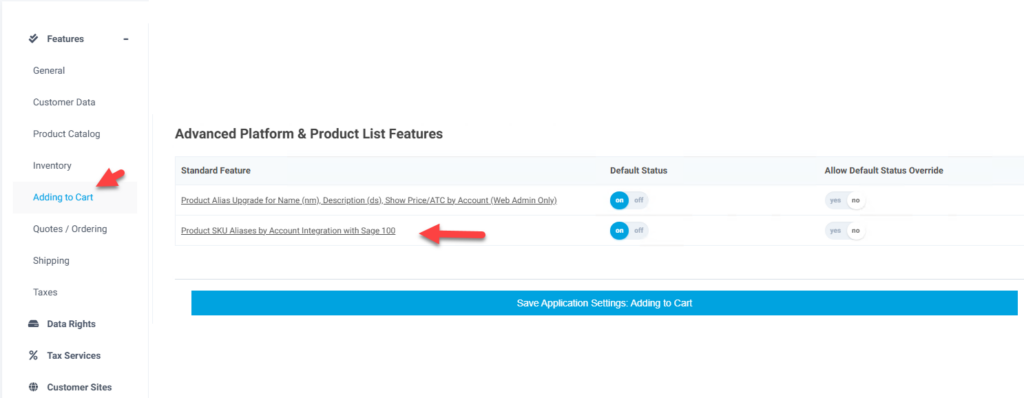
There are two features associated with this functionality ( Product SKU Aliases by Account Integration with Sage 100 and Product Alias Upgrade for Name (nm), Description (ds), Show Price/ATC by Account (Web Admin Only)) and just control what fields show on the Product Aliases Add/Edit page. Either feature should be enabled for the functionality to work and for the pages to be available in the worker portal. The different features control what fields are available on the Aliases add/edit page. While the one feature specifically currently says Sage100, this data can be synced from most ERPs if desired. To sync this data contact CIMcloud to enable data syncing.
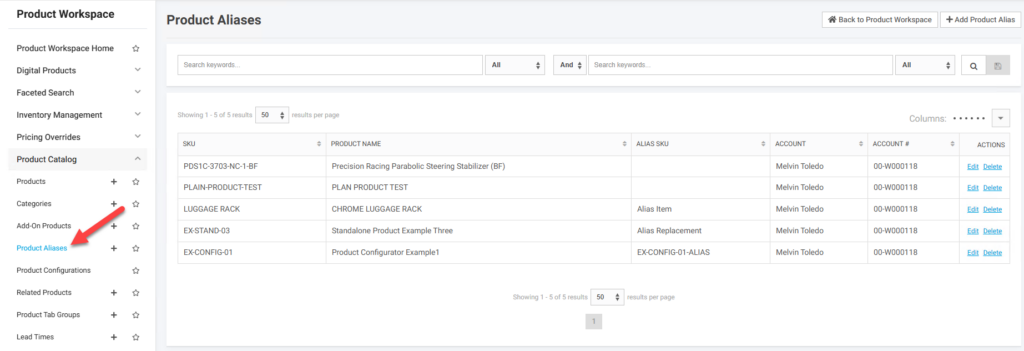
To add or view an alias record go to Product Alias in the Product Catalog section of the Product Workspace menu
When adding or editing a record the following fields are available. This data is stored in the product_aliases table
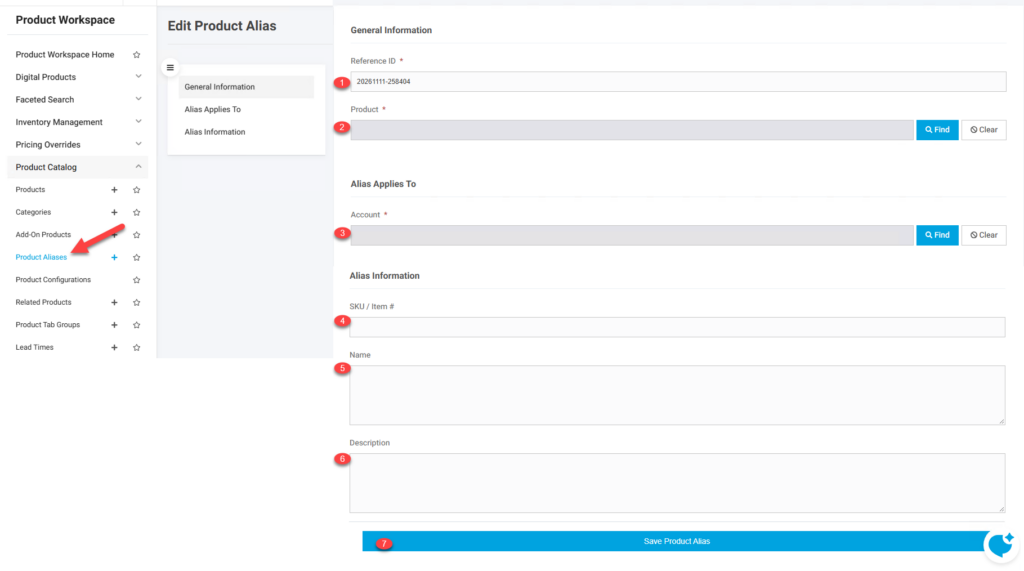
- Reference ID (ref_id) – A unique identifier for the record. When importing records this determines if the record is being added or if editing an existing record.
- Product (p_id) – The product the alias record applies to
- Account (a_id) – The account the product aliases applies to.
- SKU (sku_alias) – The override SKU value for the specific item and account. If not populated the value from product record displays.
- Name (nm_alias) – The override Name value for the specific item and account. If not populated the value from product record displays.
- Description (ds_alias) – The override Description value for the specific item and account. If not populated the value from product record displays.
- Save Button – This creates/updates the product alias record with the entered values