Overview
Feature Product Document Search Form enables a new page on the customer site that allows users to search for product documents without having to go to specific products. The search searches product information (SKUand name) and product document names and URL to return documents grouped by the products that match the search. The search does not search within the documents.
What a Customer Site User Sees
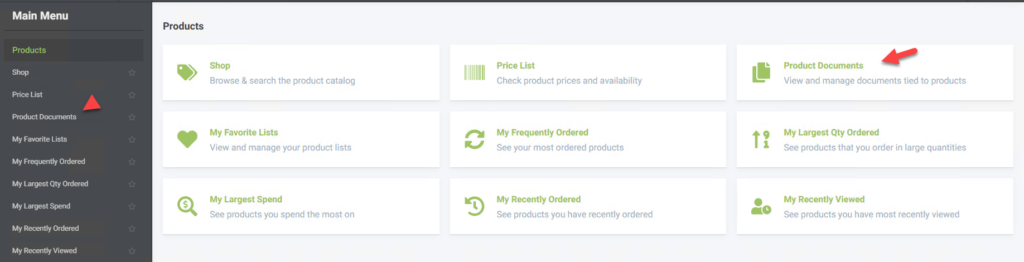
A customer site user (contact) will see a new menu option Product Documents in the Products menu.
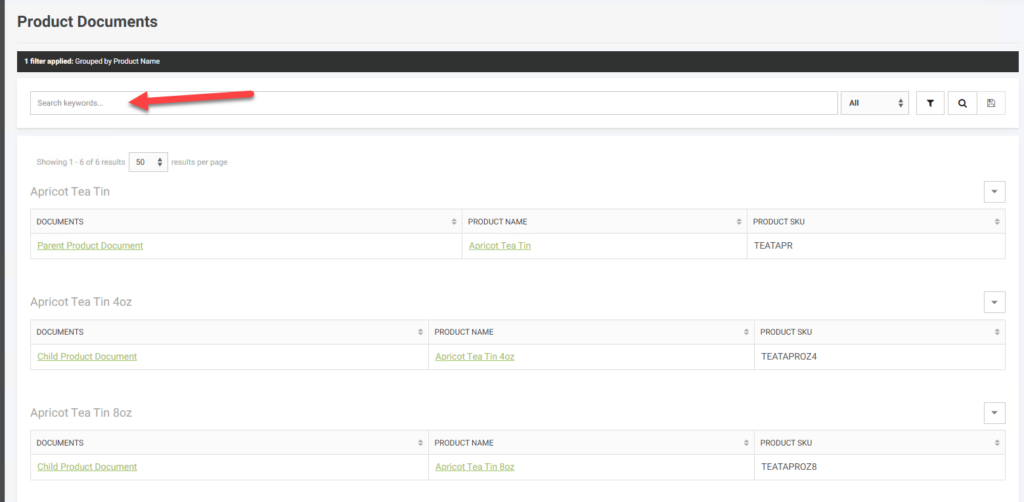
This menu option opens a new page that shows all products the user has access to with the documents associated with those products. There is a search bar that allows the list to be searched
What an Admin Worker Sees (Set-up)
Information on setting up product documents is found here – Adding and Updating Products
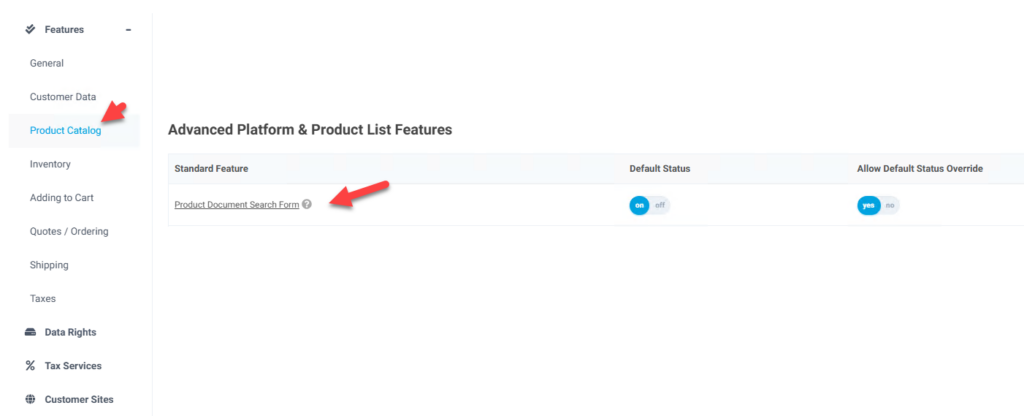
To enable the product search form for users the feature Product Document Search Form should be enabled. It is in the Product Catalog tab and the Advanced Platform & Product List Feature bundle section