Overview
While CIMcloud is designed to bring business activities into an online environment, it’s important that your brick and mortar business can still be found. That is why CIMcloud’s Retail Catalog bundle includes Store / Dealer Locator.
What Customers See

What and Admin Worker Sees
There are several different features that allow for different levels of management of the data for creating listings as noted above.
Creating the Listing Directly
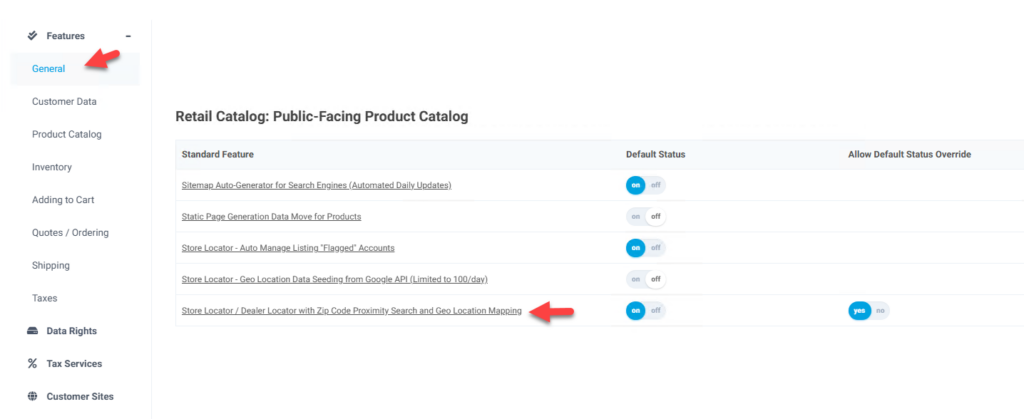
There is a directory listing table that can be managed after the feature is enabled. This feature enables the worker portal tables as well as enabling the links on the customer site to access the store locator. The location of these customer site menu options depends on the template being used and can be added and removed from menus as desired.
The feature is Store Locator / Dealer Locator with Zip Code Proximity Search and Geo Location Mapping and is in the General tab and the Retail Catalog bundle section.
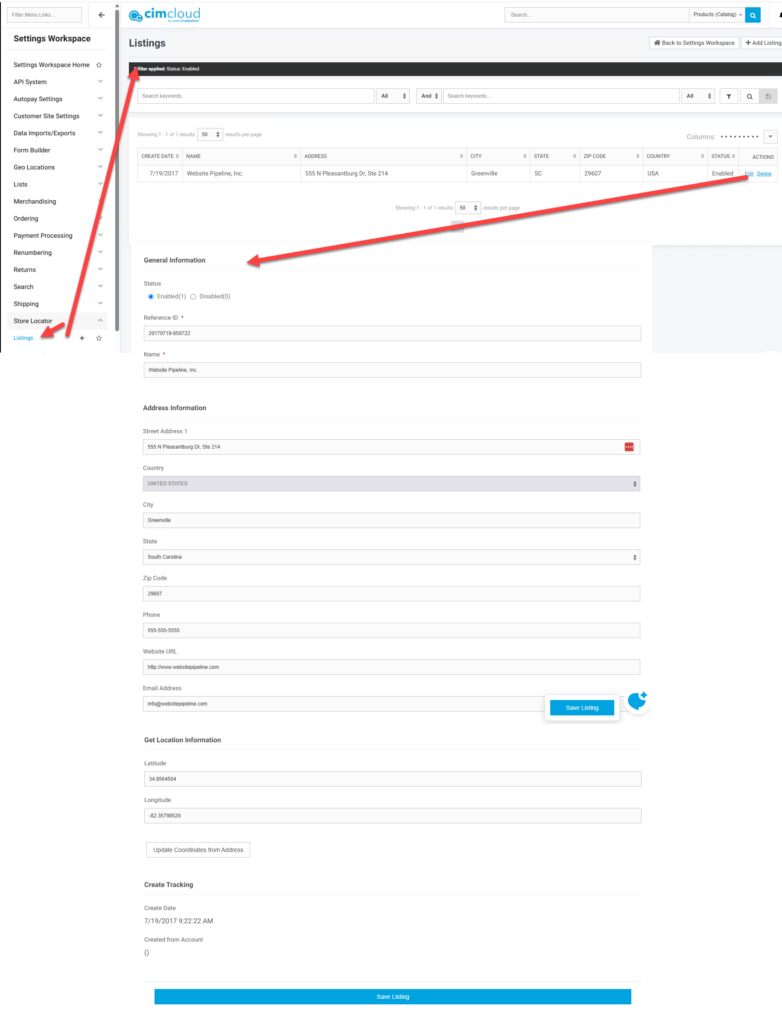
The manage page in the worker portal is in the Setting Workspace menu under Store Locator > Listings. This page shows the existing records and allows for adding new records. The page Listing needs to be given a Name, which displays at the top of the listing, and a unique ID (reference ID) (ref_id), address information, and Geo Location information (latitude and longitude). This geo information can be populated by clicking on the Update Coordinates from Address button on the record. This calls an API to populate the information. The record will not display properly without this information.
Create Directory Listings from Accounts
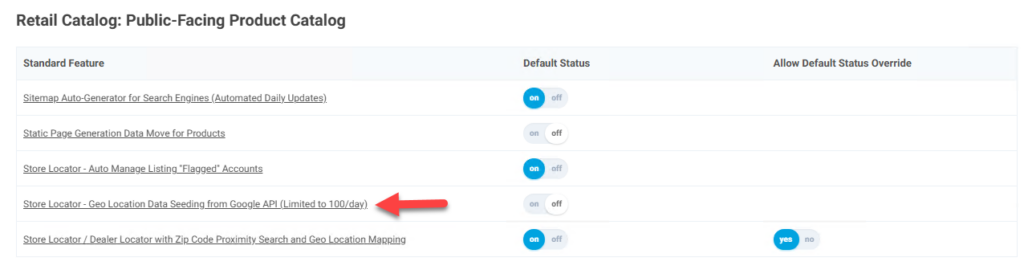
With feature Store Locator – Auto Manage Listing “Flagged” Accounts you can create the directory listing from accounts marked to create directory listings. When this feature is enabled fields are added to the Accounts edit page to mark accounts. If you set the field Auto Include in Directory (accounts table database field – include_in_directory equal to 1) and the setting Add/Update Directory Listing is set to 1 (Add or Update Now) or is not set at all (not 0), then a system process will run and create/update a record in the Listings table noted above. This does not populate the Geo Location data on the record. This can be done manually or with the next feature.

Auto-populate Geo Location Data
The geo location data, latitude and longitude, can be auto-populated on records by enabling feature Store Locator – Geo Location Data Seeding from Google API (Limited to 100/day). This enables a system process (datamove) that will process a few records at a time to populate the geo location data. There is a limit set on how many records are populated on a given day due to API restrictions. This will start processing and records with missing latitude and longitude data.