Overview
The Disable/Show Price and Show Add to Cart per Product by Account feature builds on the feature Display Price/Add to Cart By Product that is part of the Advanced B2B Portal bundle. This feature is part of the Advanced Add to Cart and Order Entry bundle and does not require the Advanced B2B Portal bundle to function fully. This feature allows products to be set so the Price and/or the Add to Cart (ATC) Button show or do not show and then can be overridden at the account level. As an example, if you have a product line that requires specific authorization to purchase but you want all users to see these these products, you can set the products by default to not allow the ATC Button (price display could be either way) and then allow the ATC Button for the authorized accounts. It could also be set up conversely so that only some accounts cannot see price and/or ATC but the default is that unless specified all accounts can.
What a Customer Site User Sees
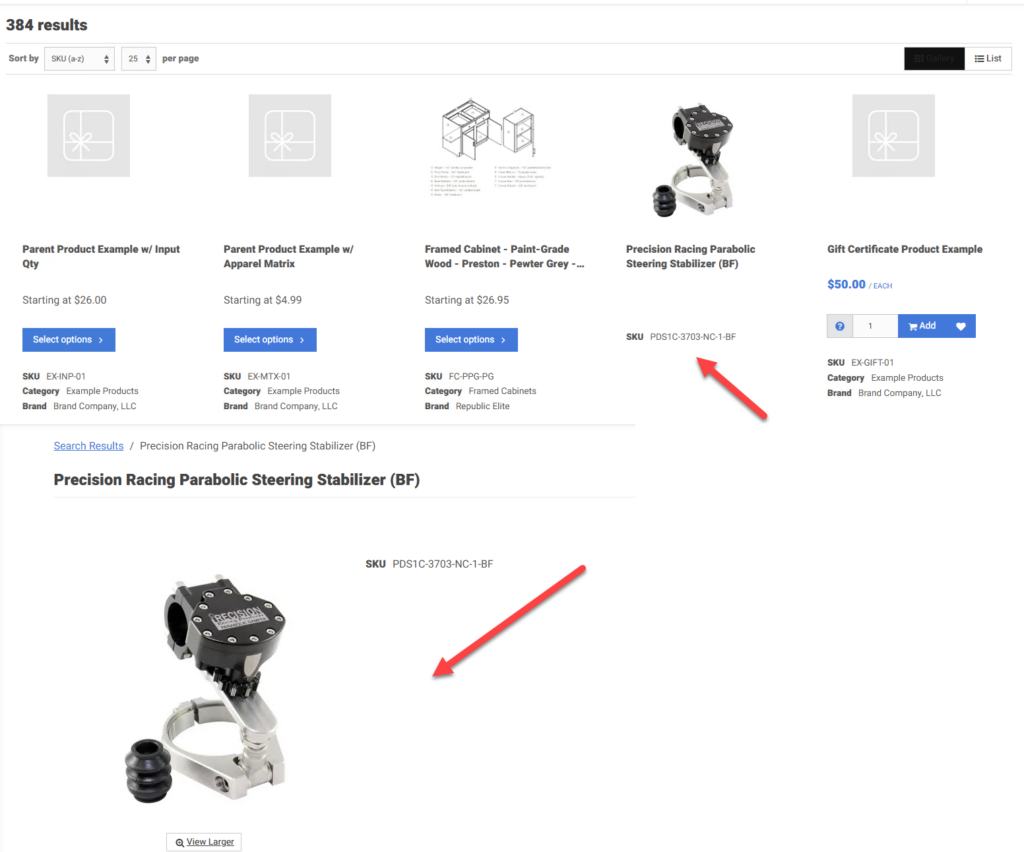
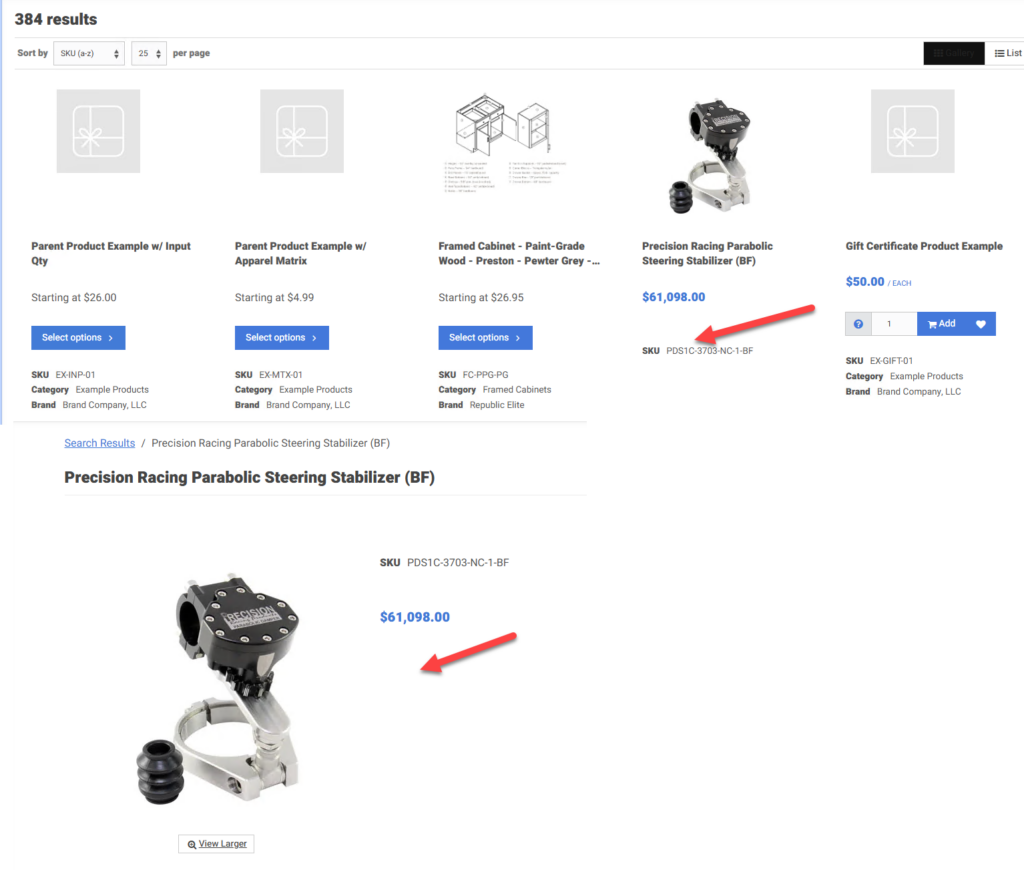
Users on a customer site will see or not see the Price and ATC Button depending on how the product and the specific accounts overrides are set.
Example with no Price and no ATC
Example Price and no ATC
What an Admin Worker Sees (Set-up)
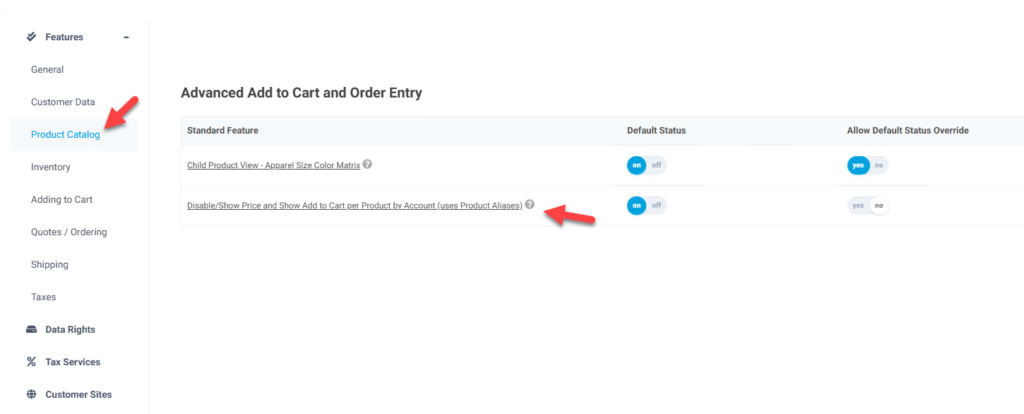
This feature, Disable/Show Price and Show Add to Cart per Product by Account (uses Product Aliases), is needs to be enabled so that the fields are available and functionality in enabled. The feature is in the Product Catalog tab and the Advanced Add to Cart and Order Entry section.
The fields on the product will be available to set the default on if users can See Price and/or ATC. These are available on the product add/edit page and the Additional Details section. These fields are in the products table and are show_prod_price and show_add_cart.
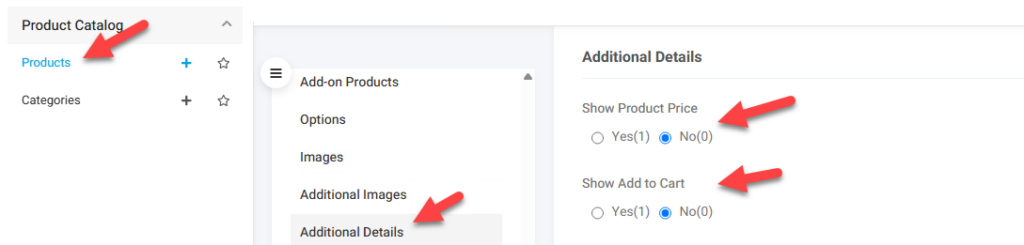
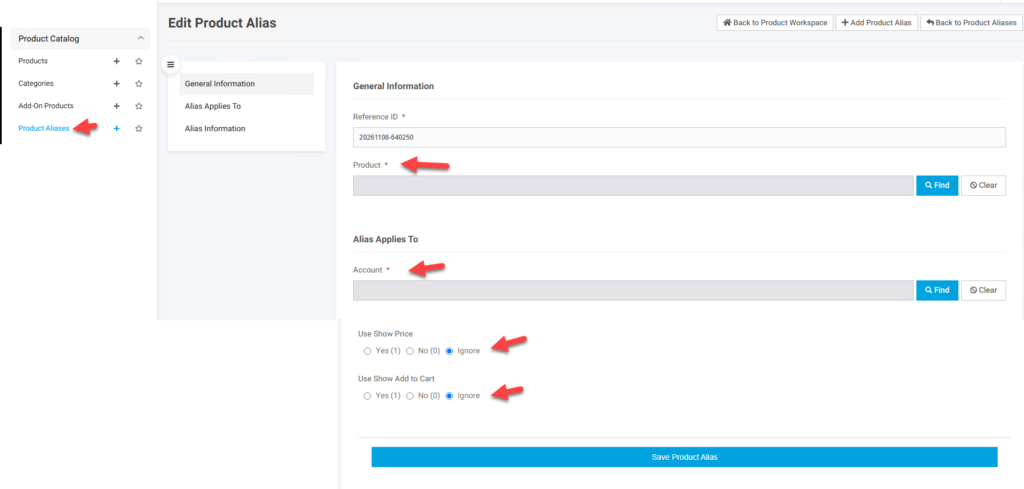
To allow an account the ability to override these product settings a Product Alias record needs to be created with the fields set for how the specific account sees the product. In the worker portal and Product Catalog section the Product Aliases screen should be available.
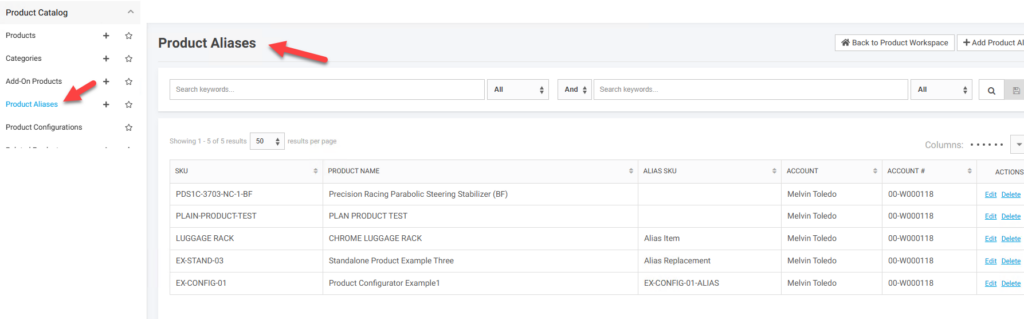
First you need to Add or Edit the record for a specific Product and Account. Fields should be available to set the override. Ignore means to use the default. These fields are in the product_aliases table and are show_price and show_atc. Other fields may show based on other options available.