Overview
This feature provides a warning to users at checkout if they are ordering a quantity of product that is larger than what’s currently available for purchase. By implementing this functionality, you can reduce additional touch points for your customer service and fulfillment teams that are having to modify orders.
What a Customer Sees
As customers go through the checkout process, they will receive alerts if they are ordering a product that is not currently in stock or does not have enough inventory to fill the entire order. These alerts display from the shopping cart page through to the order confirmation email:

What an Admin Worker Sees
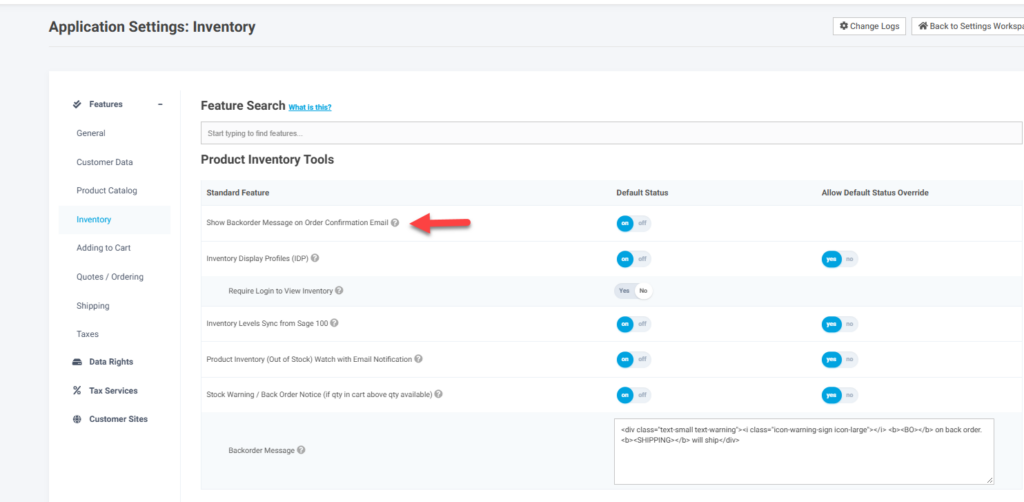
The message being displayed is controlled by the feature Stock Warning / Back Order Notice (if qty in cart above qty available) in the Inventory tab and the Product Inventory Tools bundle section. The actual messaging can be configured using the setting associated with this feature
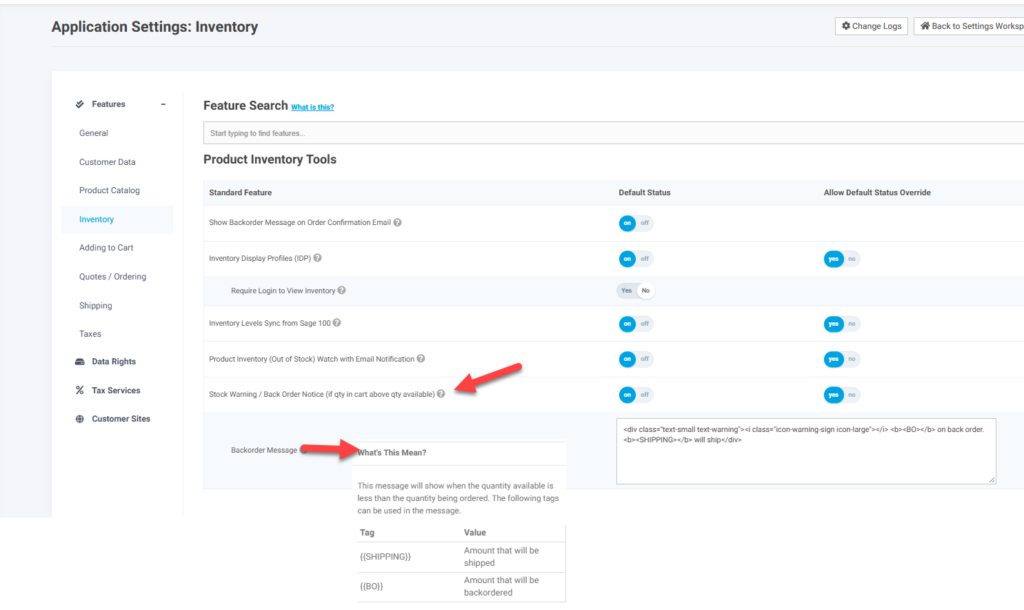
There is a separate feature that controls if this messaging displays on the order confirmation email. Since email are generated outside of the users session the messaging will be based on the above feature at the application level